
Organizations continue to press ahead with hybrid cloud initiatives. They recognize that deploying and supporting applications, data, and workloads both on-premises and in the cloud has merit. Yet as organizations press forward with these initiatives, they cannot ignore ransomware’s threat. Arcserve made a point to address both corporate operational priorities in its latest Unified Data Protection (UDP) 10 release.
UDP 10 Leans Into Anti-malware Detection
To perform ransomware detection in UDP 10, Arcserve took a novel approach. It capitalizes on the freely available Microsoft Defender included with Microsoft Windows Server.
At a high level, UDP scans backups for malware by using the following process. First, UDP 10 backs up data to disk. Once it completes the backup, UDP 10 mounts the backup recovery point and presents it to Microsoft Defender to scan.
Using Microsoft Defender’s APIs, UDP 10 instructs Microsoft Defender to perform a full antivirus (AV) scan of the backup copy. Once Defender completes the scan, UDP 10 unmounts the recovery point, reports on the results of the backup scan, and generates alerts if any malware was detected.

Since organizations initiate these AV scans of their backup copies, they may perform these scans at any time. UDP 10 also permits organizations to add Assured Security scans to UDP backup policies that Arcserve refers to as protection plans.
Fast and Affordable RPOs and RTOs for All Standard VMs
Standard, as opposed to business-critical or mission-critical, virtual machines (VMs) often represent the majority of VMs found in organizations. These virtual machines that host standard business applications and data may have longer recovery time objectives (RTOs) of a few hours. However, their downtime becomes more impactful if recovering them takes many hours or days.
Arcserve UDP 10’s new On-demand Virtual Standby feature addresses this underserved need for standard virtual machines to recover more quickly. Using UDP 10’s On-demand Virtual Standby feature, organizations may meet the RTOs associated with these virtual machines. Further, they may accomplish this objective with minimal cost and administrative overhead.
To use On-demand Virtual Standby, a UDP 10 administrator selects the VM or VMs to recover, the target location, and initiates the recovery. Arcserve UDP 10 then creates a new virtual machine for each selected VM at its target location. UDP 10 completes the process by creating each virtual machine, copying its data, and booting the virtual machine.
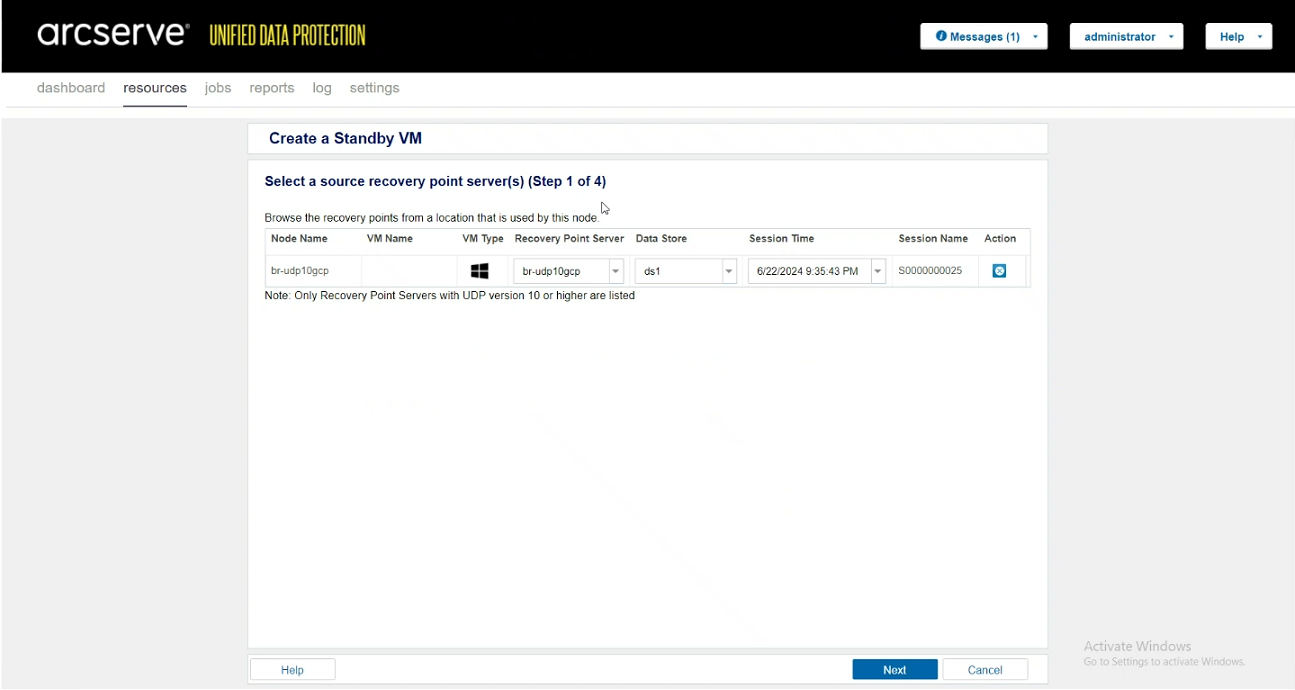
Using On-demand Virtual Standby, organizations can immediately benefit as it offers them a higher return on their investment. On-demand Virtual Standby specifically equips organizations to quickly and easily recover any and every virtual machine in their IT infrastructure. Further, this solution offers flexibility and scalability to meet the RPO/RTO requirements of most workloads in their business.
Efficient Multisite Virtual Machine Backup Recovery
To meet growing organizational needs to quickly create offsite backups, Arcserve UDP 10 introduces One-to-Many (1:M) Replication Support. 1:M replication itself is not new. However, Arcserve UDP 10 manages it in such a way that makes it practical for organizations to implement more widely.
Replicating a recently completed backup represents a common use case for UDP 10’s One-to-Many Replication Support feature. Once UDP completes making a backup, UDP must replicate the backup to multiple replication target locations. These target locations may include an on-premises target, a target at a secondary location, or cloud object storage.
Normally 1:M replication must wait until each replicated write completes at each target location. Only after each block of backup data gets written to all replication target locations does the next block of data get replicated. As a result, the replication target location with the highest latency determines the time for the entire replication process to complete.
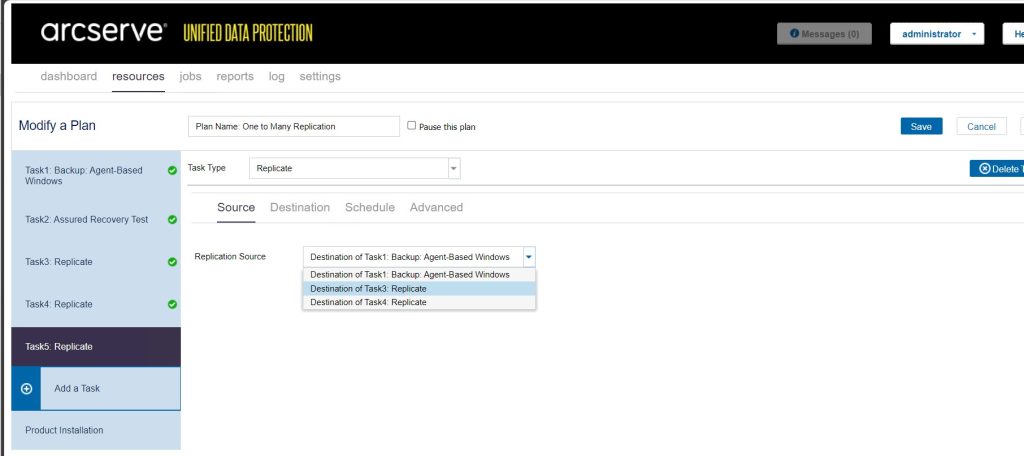
UDP 10’s implementation of 1:M replication ends this write co-dependency across all replication targets. UDP 10’s One-to-Many Replication Support replicates each block of backup data to each replication target independently of the other targets. This technique ensures UDP 10’s One-to-Many Replication Support creates a backup copy at the replication target location with the lowest latency first.
Faster, More Secure Recoveries for All Virtual Machines Highlights UDP 10 Release
The Arcserve UDP 10 release builds on UDP’s core competencies by capitalizing on the availability of Microsoft Defender within Microsoft Windows. Utilizing Defender, UDP 10 can affordably and reliably scan backups for malware to help organizations secure both their backups and restores.
Then using UDP 10’s On-demand Virtual Standby feature organizations may quickly and securely recover any virtual machine anywhere from their backups. This includes performing fast VM recoveries on-premises, at secondary sites, and in multiple clouds to include AWS, Azure, and GCP.
This ability to quickly recover anywhere happens in large part thanks to UDP 10’s new One-to-Many Replication Support feature. Organizations may use this feature to easily, confidently, and more quickly replicate backups to any location using one replication job.
Arcserve UDP 10 does more than help keep organizations ahead of the hybrid cloud and ransomware challenges they face. It positions them to fully, and affordably, capitalize on hybrid cloud functionality while better mitigating the threats that ransomware presents. In so doing, Arcserve UDP 10 provides a reliable last-line-of-defense in the face of ransomware challenges that budget-conscious organizations face in their complex hybrid and multi-cloud environments.
DCIG Disclosure
This blog entry was excerpted from a product review that DCIG produced for Arcserve. Interested readers may access and download the full product review by following this link. This link will take you to a trusted third-party website.
KEEP UP-TO-DATE WITH DCIG
To be notified of new DCIG articles, reports, and webinars, sign up for DCIG’s free weekly Newsletter.
To learn about DCIG’s future research and publications, see the DCIG Editorial Calendar.
Technology providers interested in licensing DCIG TOP 5 reports or having DCIG produce custom reports on their behalf, please contact DCIG for more information.